On-demand Knowledge Task Processing
Why we built this
We had batch execution of workflows using ai4pkm shell. While batch execution is suitable for things like generating daily summaries, it was not suitable for knowledge tasks that require immediate processing. We also wanted to build a flexible knowledge task execution system that can handle various types of workflows and support execution via multiple agents.
Prototype: Prompt-based Workflow
Our first iteration was the Claude Workflow that connects task generation, processing, and evaluation. While the resulting workflow could do the work, it often failed to abide by specified instructions. The prompt-driven approach also required manual execution or batch processing, making it unsuitable for tasks requiring real-time output.
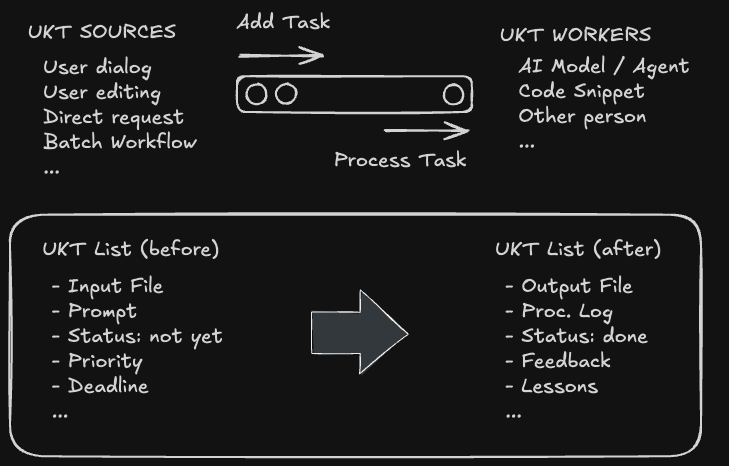
On-demand Task Execution System
So we decided to build a more flexible Knowledge Task Execution System that controls the agentive workflow using filesystem-based task monitoring and execution library.
The system watches the filesystem for trigger events and routes them through a three-phase execution pipeline. When a trigger is detected (like a new clipping or #AI hashtag), the Knowledge Task Generator (KTG) creates a structured task file. The Knowledge Task Processor (KTP) then executes it through two phases: routing the task to the appropriate agent, then monitoring execution until completion. Finally, the Knowledge Task Evaluator (KTE) validates outputs, fixes minor issues, and marks tasks as completed or failed. The entire flow is automated - from detection to completion - with dedicated logging for each phase providing full audit trails.
Users can trigger tasks in various ways:
- Add Web Clipping: Triggers
EIC(Enrich Ingested Content) workflow - Limitless pendant: Speak a knowledge task starting with wake words
Hey PKM - Editing a note: Add
#AIhashtag in any note to generate a knowledge task
Task processing steps:
- Generation: Task is generated from various sources
- Execution: Task is routed to different agents for execution
- Evaluation: Task is routed to different agents for evaluation
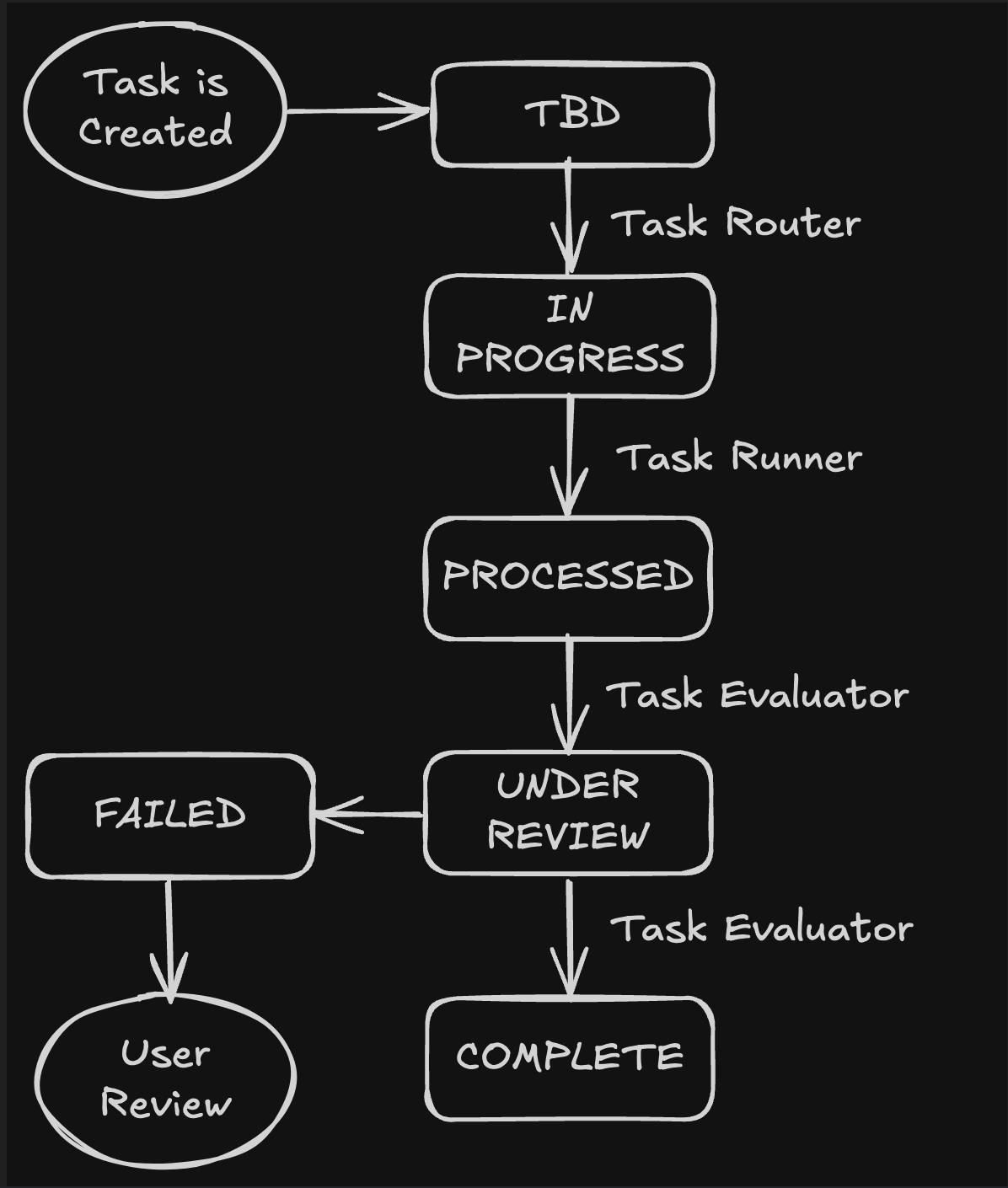
Task Management: Setup & Run
Use ai4pkm -t to run task management shell.
The task management mode starts by scanning for all tasks that need attention - evaluating completed work (PROCESSED status), checking for interrupted evaluations (UNDER_REVIEW), and processing new tasks (TBD status). It then monitors the filesystem continuously for new triggers.
Configuration is managed through ai4pkm_cli.json where you can specify which agents handle which task types. For example, you might route research tasks to Gemini while keeping enrichment tasks with Claude Code. You can also configure concurrency limits, evaluation agents, and timeout settings to match your workflow needs.
Task Example: Automated Clipping Enrichment
Let’s see how the task management workflow works when processing a YouTube transcript.
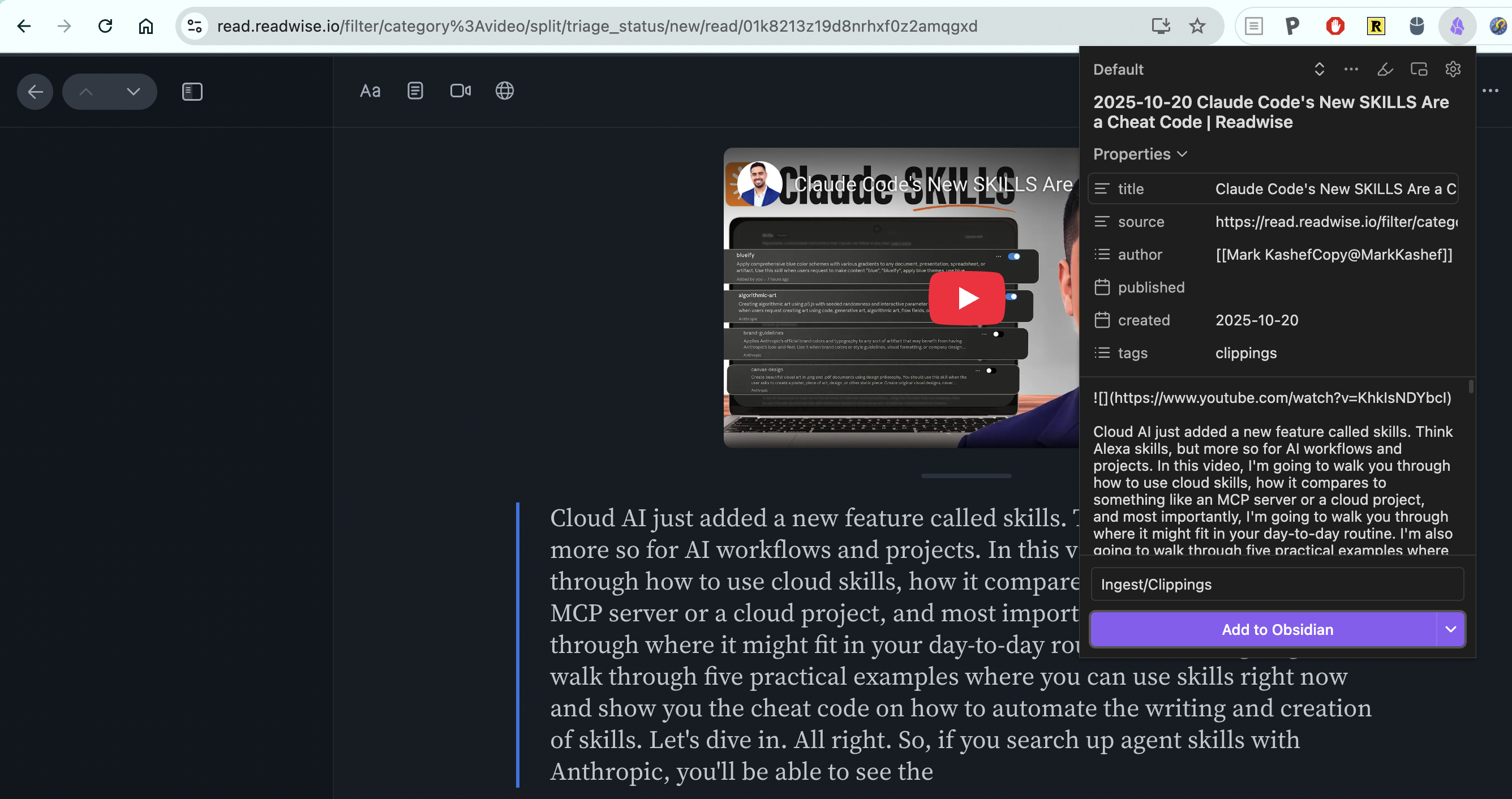
First, we use web clipper to trigger task generation.
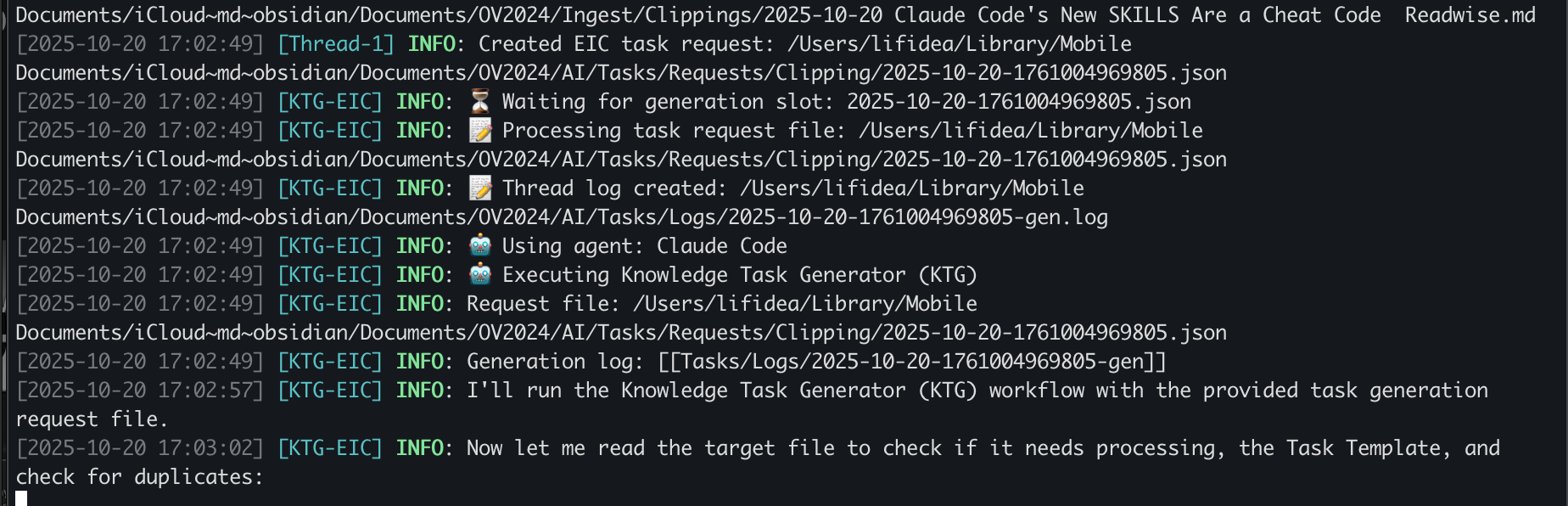
From terminal, we can see that the task is being generated by KTG process.
Once the task is generated, it appears as a task note in the AI/Tasks folder. Below we see the clipping enrichment (EIC) task being added to the list. When KTP picks up the task, the status changes from TBD to IN_PROGRESS. You can also see that the agent working on this task is Gemini.

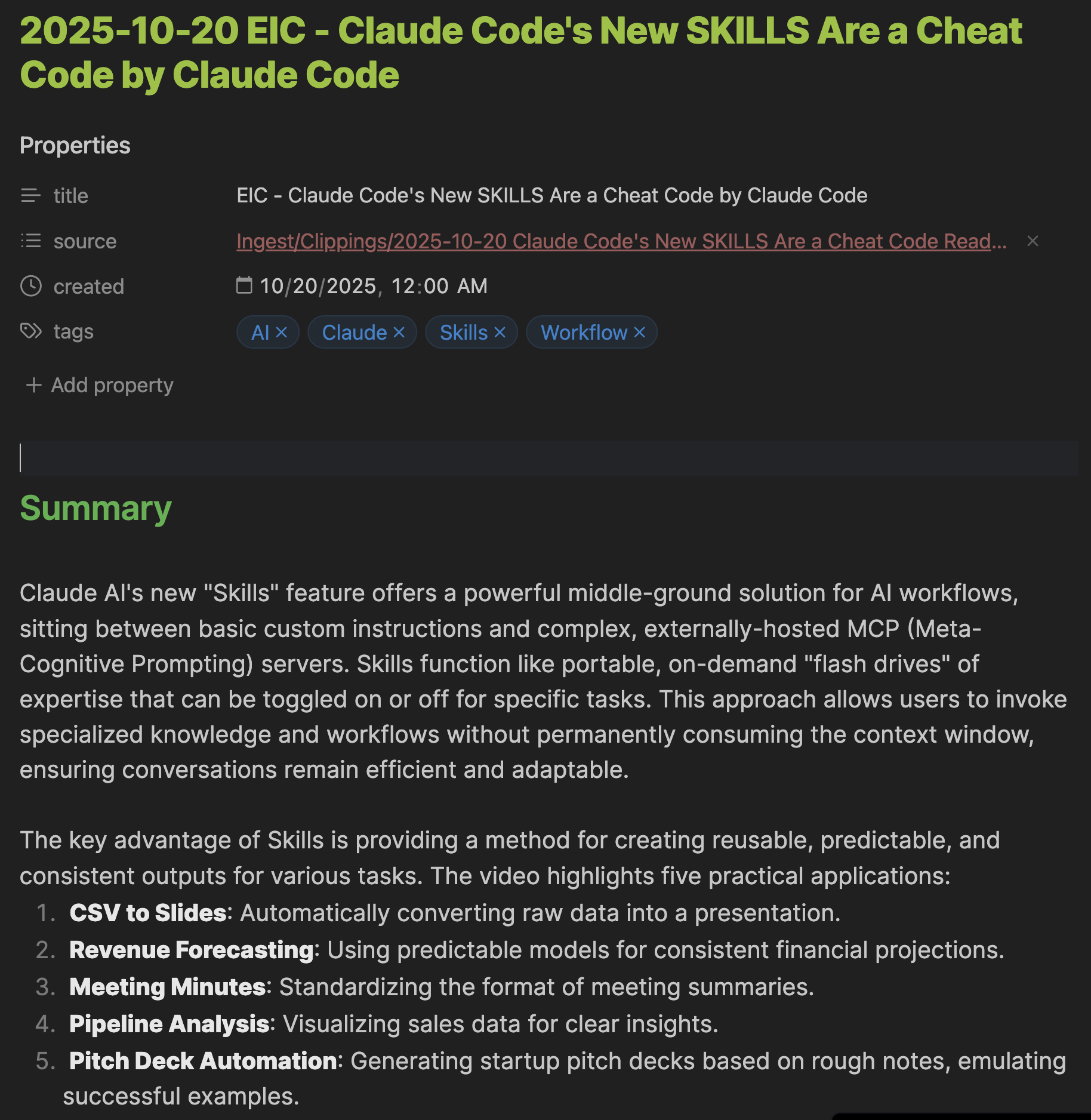
Once the processor finishes the task, the status changes to PROCESSED, after which it will be picked up by the KTE (Knowledge Task Evaluator). The evaluator sets the status to UNDER_REVIEW while working on it. Eventually the task status changes to COMPLETED, indicating the task is now complete with the enhanced summary shown below.
Lessons Learned
Script and Agent: Divide and Conquer
Rather than having agents handle everything, we found it more effective to handle repetitive tasks with scripts and delegate the rest to agents. File watching, status updates, and simple read/write operations are better handled by deterministic code. This keeps agents focused on what they do best - understanding context, making decisions, and generating content. The division of labor also makes the system more reliable and debuggable.
Human-in-the-Loop Remains Critical
Even with extensive automation, maintaining human oversight of the overall process is essential. The system provides visibility through dedicated log files for each phase, status updates, and evaluation feedback. This allows users to monitor progress, intervene when needed, and understand what the system is doing. Automation should augment human judgment, not replace it.
Multi-Agent Evaluation Reduces Errors
Having one agent’s work evaluated by another agent proved valuable. This separation prevents context overflow issues that can occur when an agent reviews its own lengthy output. It also provides a fresh perspective on the work, catching issues the executing agent might have missed. The evaluator can focus purely on quality assessment without the cognitive load of having just created the content.
Heterogeneous Agent Ecosystems
Using different agents for different tasks unlocks significant value. We can route tasks to whichever agent handles them best - or most cost-effectively. Research tasks might go to Gemini while enrichment tasks go to Claude Code. For critical operations, we can even send the same task to multiple agents simultaneously and compare results. This flexibility transforms agents from a single tool into an adaptive ecosystem.
For implementation details, see README_KTM.md in the repository.